Help
Restoring from a backup


A backup only brings back records that are missing. It never changes one that's already here.
In Didji: Settings, then Devices & data, then Backups
A backup is the file you saved with Back up now, its name ending in .didjibackup. Restoring it adds back any record your vault no longer has, and leaves every record that's already here exactly as it is, so it's safe to try even when you're not sure what's missing. Unlock Didji, and have the file somewhere your phone can reach, such as iCloud Drive.
- On the home screen, tap the gear at the top left to open Settings.
- Scroll down to the card titled Devices & data, and tap Backups.
- Tap Restore from backup, the last line in the white card.
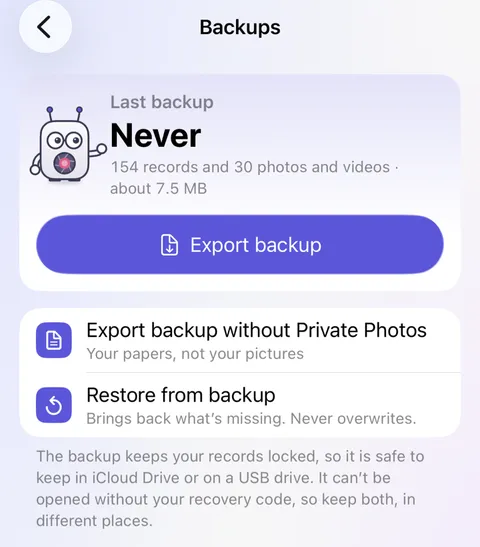
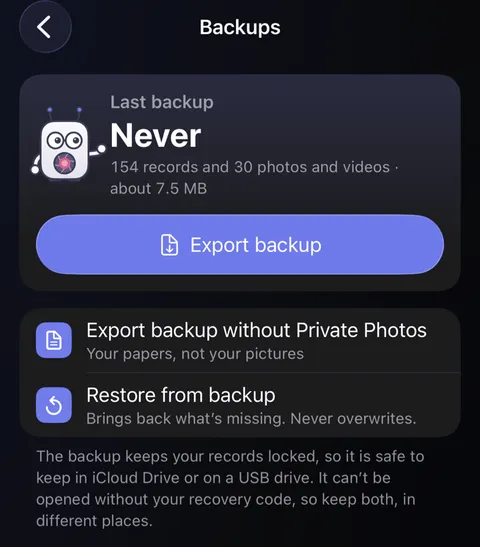
- Files opens. Find your backup and tap it.
- Didji checks the whole file before bringing anything in, then brings it in, with a card showing how far along it is; Cancel stops it. Then a line beneath the card says what happened, such as "12 added, 340 already present," and that the file was checked.
Good to know
- A backup of this vault restores with nothing asked, whichever kit you have now. A backup from another vault, or one restored on a new device with no vault yet, asks for the recovery kit you had when you made it. Type or scan its code, and the backup opens; that kit opens nothing else. A backup from another vault brings its own "This is me" in as an ordinary person, since your vault has one already.
- If the file has been changed since it was made, nothing at all is brought in, and Didji says so.
- Archived records come back with a backup. Anything in Recently Deleted was never in one, and a record that's already here, in Recently Deleted or not, is left exactly as it is, documents and all.
- Your settings come back only into a vault that has none of its own yet. A Didji passcode never comes back with them: set one again in Settings if you'd like it. Who you share with isn't kept in a backup either: a record that was shared comes back shared with nobody, and Didji says how many.
- On a new device with no vault yet, you don't need to make one first. On Didji's first screen tap Set up my own vault (if a step about the free trial comes first, start the trial (it costs nothing), or tap Not now if it says your trial has ended), then I already use Didji, then I have a backup to restore. Choose the file and type or scan your kit's code. Didji asks iCloud about the code, so be online. If it says iCloud can't be reached, go online and try again. Only if you've never used Didji on this Apple Account, you can make a new vault first and restore from Settings as above; never where your vault is already on another of your devices, since that makes a second vault. If the backup becomes a vault of its own, Didji shows you a new recovery kit to print.
See also
Still stuck?
Write to us at hello@didji.app, and tell us which device you’re using if you can.
Never send a password or your recovery code to anybody, us included. What we can’t do for you.