




Passwords are just the start.

Life doesn’t organize itself into passwords, documents and contacts. So Didji, a family password manager for iPhone, iPad and Mac, keeps the people in your life, your home, your car and your pets, with every record that belongs to them, and helps when life changes.

Passwords

Passwords, passkeys and AutoFill

A short cartoon film of Sam on the couch. Her bank asks for a sign-in code, and the app that makes her codes is on her old phone in a drawer. In Safari, Didji fills in her email and password after Face ID, then offers the sign-in code above the keyboard, and she’s signed in. The film ends on Didji’s icon and name.

What’s said

  1. Her bank wants a sign-in code.
  2. The code app is on her old phone.
  3. Didji keeps the code with the password.
  4. Signed in, first time.
  5. Passwords and sign-in codes, together.

Your passwords, filled in for you in Safari and in apps, behind Face ID or Touch ID.

  • Filled in from the bar above the keyboard, or from your list
  • A new login saved as you sign up, and updated when you change it
  • Passkeys made in Didji, and signing in with them
  • Sign-in codes built in, set up by scanning a QR code
  • On iPhone, hold any text field to fill it from Didji
  • One tap copies, and the clipboard is tidied afterwards
  • Show a code large, to read it over the phone
  • Bring everything over from the app you use now

Passkeys · Moving to Didji from another app

Exposure Check

Didji looks over your passwords and tells you which ones want attention, worst first. No scolding, just a list.

  • Found in breaches, reused, weak or unchanged for years
  • The same account saved twice, and a way to combine them
  • Websites that aren’t secure, and sites that offer passkeys or sign-in codes
  • How many of your accounts are in good shape, at a glance
  • Do this next: the one most useful thing to fix
  • Runs on your phone. The breach check sends a short scrambled fragment, never the password.

Exposure Check

Didji spotted 3 accounts that need a look.

Do this next Change the password for Old forum. It has appeared 24,301 times in stolen data.

  1. Old forum Seen 24,301 times in known breachesBreached
  2. Garden centre Also used on 1 other accountReused
  3. Hardware shop Also used on 1 other accountReused
  4. Old forum Weak passwordWeak
  5. Garden centre Weak passwordWeak
  6. Hardware shop Weak passwordWeak
  7. Garden centre Unchanged for over 7 yearsAging

No scolding, just a list.

Password generator

The strongest password is one you’d never think of yourself. Didji makes them, and remembers them, so you never have to.

  • Words, characters or a PIN
  • Words joined by hyphens, easy to type on a TV or a car’s screen
  • Made to fit a website’s own password rules
  • No look-alike letters, for passwords you’ll type by hand
  • Says how strong each one is, and why
  • Opens the website’s own page for changing a password

Making a strong password

I’ll make one up that nobody could guess, not even you. That’s rather the point.

What to make

Made here in your browser, and sent nowhere. In Didji, they’re made on your phone and saved for you.

Words from the EFF Long Word List, as in the app.

Signed up somewhere, or changed a password? I’ll offer to keep it, so it’s never lost.

People and things

Your contacts, finally complete

Everyone in your life gets a page of their own, holding far more than a contacts app ever could.

  • How they’re related to you, their birthday, phone and address
  • Call, message or email straight from their page
  • Their passport, license and policies, with what’s due
  • A timeline of every date you hold about them
  • Notes for the little things no form asks for
  • Who lives with whom, under each home
  • Their medication: what’s taken, and why

People & Places · Notes on a page

Mobile
(703) 555-0102
Email
alex@example.com
Works at
Kestrel Ridge Engineering
Lives at
Home, 412 Tillbrook Street, Alexandria

Alex’s datesEvery date Didji holds about Alex, month by month.

Alex’s dates, month by month: Alex’s birthday, Date of birth, Dec 3, 2026; Reminder, Passport, 6 months, Aug 24, 2027; Alex’s birthday, Date of birth, Dec 3, 2027; PIP, Award ends, Dec 12, 2027; Alex’s card, Expires, Dec 27, 2027; Alex’s passport, Date of expiration, Feb 20, 2028.

Pets

Pets are family, with more paperwork than people expect.

  • Microchip, vet, insurance and vaccinations, on one page
  • A reminder before a booster or the insurance is due
  • The vaccination record kept as a scan
  • Who looks after them, and where they live
Didji09:00Biscuit: Vaccinations due Dec 13, 2026.

Didji reminds you a month before each booster is due, at nine in the morning.

Adding a person, a pet, a vehicle or a place

Biscuit’s pet passport, open. Biscuit is a male cocker spaniel, white with one brown ear, microchip 985 141 000 123 456, belonging to the Taylors of 412 Tillbrook Street, Alexandria. His vet is Del Mar Animal Hospital, and his insurance renews on Jan 31, 2027. Three annual boosters are stamped by Del Mar Animal Hospital: Dec 16, 2023, Dec 11, 2024, Dec 14, 2025. The next booster is due on Dec 13, 2026, with a reminder a month before.

Biscuit’s microchip number?

The vet needs it, and it’s on Biscuit’s own page, with his records.

A short cartoon film at the vet’s reception. The vet asks Sam for Biscuit’s microchip number, and Sam remembers it is on a form somewhere at home. She opens Didji on her phone: Biscuit’s own page, with his microchip number and his records. The vet types it in, and hearts float over Biscuit. The film ends on Didji’s icon and name.

What’s said

  1. The vet needs a number.
  2. It’s on a form at home. Somewhere.
  3. Biscuit has his own page.
  4. Didji keeps your family’s paperwork, not just yours.

Organizations

Your bank, your doctor, your employer, the plumber: each gets a page, with everything you keep for it.

  • Say what each one is to you: employer, doctor, bank, landlord and more
  • The ones that matter up top, the occasional ones folded away
  • Work things gathered on your employer’s page
  • When you leave a job, one list goes through what to keep

Vaults in Didji · Where’s Work?

Key organizations

  • EmployerKestrel Ridge EngineeringAlex’s work emailAlex’s workplace pension
  • SchoolTillbrook Elementary SchoolMia’s schoolFelicia Dawkins, school office
  • My businessTaylor & Reed Design LLCSam’s companyHarmon & Beale CPAs, accountants

Everyone and everything you look after, each with a page of their own. I like to know who’s who.

Your home, and what’s in it

Name an address once, and things can belong to it: the alarm code, the furnace, the key safe.

  • Its rooms, and what’s in each
  • Belongings with make, model, serial number and receipt
  • A reminder a month before a warranty runs out
  • Just what an insurer asks for, if the worst happens

Home, and other addresses · Walk around the Taylors’ house

Just what an insurer asks for, if the worst happens.

Reminder, a month beforeTelevision: Warranty ends Aug 23, 2028.

Who’s our plumber?

The boiler’s record knows who services it, and his number is one tap away.

A short cartoon film of a cold morning. The boiler stops, and Alex shivers in a cold shower. Nobody can remember who services the boiler. Sam opens Didji on her phone and finds the boiler’s record, which links to Dan, the plumber, and his page with a button to call him. Dan’s van pulls up, the radiator warms, and Alex gives a thumbs up. The film ends on Didji’s icon and name.

What’s said

  1. The boiler’s stopped.
  2. Who services it again?
  3. The boiler’s record knows who services it.
  4. The house’s paperwork, and the people who look after it.

Vehicles

The car, its registration and everything due for it, in one place.

  • Your own country’s car registration, as it’s printed
  • Registration, insurance and inspection, with a reminder before each
  • Link the registration to its car and the policy to its insurer
  • Sold the car? Mark it sold, and choose what happens to each record

Linking one record to another

ULK-4127Volvo XC40A reminder a month before each

Private Photos

Photographs and videos locked away with everything else, and seen only in Didji.

  • Take them in Didji, so they never go to Apple Photos
  • Or bring them in from Apple Photos
  • Keep an album covered, for when you hand your phone over
  • Put your albums in the order you want
  • Save any of them to Apple Photos when you choose
  • Kept in your Didji backup, videos included

Private Photos · Press and hold to see the Taylors’ photos

Private

  • Walks with Biscuit, 8 photos
  • Cornwall, 8 photos and 2 videos, covered

Just you, looking.

Mark an album Sensitive (keep covered) and its picture and contents stay blurred until you tap to show them, and are covered again when you leave.

Tell me which dates matter, and I’ll mention them before they arrive. No more surprise renewals.

Life

Life events, and moving

When life changes, everything connects. Tell Didji what’s happening, and it gathers up everything the change touches.

  • Moving, a new job, a new baby or pet, a change of name, selling the car
  • One list to work through, in your own time
  • Moving box by box, with labels and door signs to print
  • Scan each box as it comes in, and it’s put in its room
  • Who to tell your new address, and when
  • Nothing changes until you choose, and nothing is deleted

Life events · Moving, step by step

Moving day at 27 Marrowby Avenue. Each box’s label is scanned as it comes in, and Didji puts the box in its room. Box 1, to open first, holds the kettle, six mugs, and tea and coffee, and goes to the Kitchen. Box 2, fragile, holds plates and bowls and eight wine glasses, and goes to the Kitchen too. Box 3 holds books and stuffed animals for Mia’s bedroom. Box 4 holds the camping gear and the Christmas box, for the Attic. Box 5 holds books and a guitar, for Leo’s bedroom. The couch travels on its own, to the Living room. Each label wears its room’s color and shape, which match the sign on that room’s door.

A label says where a box goes, never what’s inside it.

Moving to a new house. Who needs to know?

Didji lists who to tell your new address, and what’s in every box.

A short cartoon film of moving day. Sam wonders who needs to know the new address, and Alex holds up a box wondering which one has the kettle in it. Sam opens Didji on her phone: the move’s list of who to tell, some already checked off, and each room’s boxes with what is in them. Letters fly to a bank, a doctor’s office and a school, and at the new house Alex finds the kettle. The film ends on Didji’s icon and name.

What’s said

  1. Moving to a new house. Who needs to know?
  2. And which box is the kettle in?
  3. Didji lists who to tell.
  4. And what’s in every box.
  5. The vault that knows you’ve moved.

Every box, every room, and every place their old address is written down. Didji finds them all and works through them one at a time, so nothing gets missed.

13 of 13 told

Before you go

  1. Post redirectionSet up post redirectionOld address: 412 Tillbrook StreetNew address: 27 Marrowby Avenue
  2. Council taxYour old councilOld address: 412 Tillbrook StreetNew address: 27 Marrowby Avenue
  3. TV LicenceBy moving dayOld address: 412 Tillbrook StreetNew address: 27 Marrowby Avenue

Once you’re in

  1. MortgageNorthbankOld address: 412 Tillbrook StreetNew address: 27 Marrowby Avenue
  2. Your new councilRegister for council taxOld address: 412 Tillbrook StreetNew address: 27 Marrowby Avenue
  3. Sam’s driving licenceWithin a weekOld address: 412 Tillbrook StreetNew address: 27 Marrowby Avenue
  4. Electoral registerRegister to voteOld address: 412 Tillbrook StreetNew address: 27 Marrowby Avenue
  5. A GPRegister with a GPOld address: 412 Tillbrook StreetNew address: 27 Marrowby Avenue
  6. Kestrel Ridge EngineeringAlex’s employerOld address: 412 Tillbrook StreetNew address: 27 Marrowby Avenue
  7. PharmacyWithin two weeksOld address: 412 Tillbrook StreetNew address: 27 Marrowby Avenue
  8. Tillbrook Elementary SchoolMia’s schoolOld address: 412 Tillbrook StreetNew address: 27 Marrowby Avenue
  9. Dentist and opticianTell them, or find new onesOld address: 412 Tillbrook StreetNew address: 27 Marrowby Avenue
  10. HMRCTell HMRC your new addressOld address: 412 Tillbrook StreetNew address: 27 Marrowby Avenue

Everyone told. The Taylors are settled in at 27 Marrowby Avenue.

The vault that knows you’ve moved.

Sharing, your way

Share what you choose with the people you choose. Only you can change it.

  • Up to 20 people: a household, the extended family, and the people who help
  • Free for them: they don’t need to buy Didji to see what you share
  • They see the records you pick, and nothing else
  • Change a shared record, and their copy changes too
  • Share for a while, with a last day, and it’s taken back by itself
  • Stop sharing one record, or everything at once
  • Private Photos, your pins and a record’s history are never shared

Sharing with someone · Someone shared with you · What is shared, and what is not

Biscuit’s record, shared with Owen Haskell, the Taylors’ dog walker, until Sunday Nov 29, 2026. After that day Didji takes it back by itself.

Never shared

  • Private Photos
  • Your favorites and pins
  • A record’s history

Moving is a lot to keep in your head. Hand it to me a box at a time, and I’ll remember where everything went.

Essentials, and the family page

A gentle list of what most lives contain, and a page for whoever may one day need to open Didji for you.

  • Essentials shows the everyday things that aren’t in Didji yet: a passport, a retirement plan, home insurance
  • Only what fits your life, and never a nag
  • Print a page for your family, explaining Didji and the ways in, in plain words
  • Not a cheerful thought, but a kind one

Essentials · So that my family can find things

The family page, printed and lying on a kitchen table on top of the recovery kit, with a note at the top in Sam’s hand: For Alex. Love, Sam. It is titled “Didji: for whoever looks after my affairs,” printed on November 22, 2026, and begins: “Didji is an app on my iPhone, iPad or Mac. It holds my passwords, my accounts and my important papers, locked with a key. The page with this one holds that key. If you are reading this because I have died, or cannot manage my own affairs, this page is how you open it.” It goes on to say what to do first, and the ways in, with lines to fill in by hand.

Essentials

The everyday things most lives contain, and whether Didji holds them.

Personal

Apple Account

Home

Nothing missing here

A list to look at when you like. I’ll never chase you with it, promise.

Organized

Everything in its place

Families gather an enormous amount of information over time. Didji sorts it three ways at once, so nothing has to live in only one box.

  • Who it belongs to, its category, and tags of your own
  • A joint account can belong to both of you, and shows on both your pages
  • Pins and favorites for the things you open most
  • Link one record to another, and go between them
  • A timeline for each person, pet, car and home, with every date in order
  • Earlier versions of every record, if you change your mind

Vaults in Didji

Sam

  • Sam’s passportPeople & ID · EmergencySam · EmergencySam · People & ID
  • Self AssessmentMoney · TaxesSam · TaxesSam · Money
  • Carer’s AllowanceMoney · TaxesSam · TaxesSam · Money

Alex

  • Alex’s passportPeople & ID · EmergencyAlex · EmergencyAlex · People & ID
  • Alex’s workplace pensionMoney · TaxesAlex · TaxesAlex · Money
  • Alex’s work emailLogins · To checkAlex · To checkAlex · Logins

Mia

  • Mia’s passportPeople & ID · To checkMia · To checkMia · People & ID
  • InhalerHealth · EmergencyMia · EmergencyMia · Health
  • Child BenefitMoney · TaxesMia · TaxesMia · Money

Leo

  • Leo’s railcardTravel & memberships · To checkLeo · To checkLeo · Travel & memberships
  • Student loanMoney · TaxesLeo · TaxesLeo · Money

Biscuit

  • ApoquelHealth · EmergencyBiscuit · EmergencyBiscuit · Health
  • Kennel Club cardTravel & memberships · To checkBiscuit · To checkBiscuit · Travel & memberships

The same 13 records every time. Nothing is moved, and nothing is copied.

And when you’re looking for something, it’s found.

  • Search a name, a website or a number off a letter
  • What you wrote in a note, and the words inside your scans, read on your device
  • Where you put things, room by room and box by box
  • Never your passwords, so nobody holding your phone can guess one
  • An A to Z down the side of a long list

Finding things

Vehicle tax reminderLicense plate numberULK-4127Make and modelVolvo XC40
  • Volvo XC40VehiclesLicense plate · ULK-4127
  • MOTVolvo XC40License plate · ULK-4127
  • Vehicle taxVolvo XC40License plate · ULK-4127
  • Car insuranceVolvo XC40License plate · ULK-4127

A template for everything

376 ready-made templates, from a passport to the boiler, each laid out with the right boxes to fill in.

  • Logins, cards, IDs, insurance, health, home, money and more
  • Dates that remind you before they come around
  • Room for the scan of the real thing
  • Only the name is needed. Fill in the rest whenever you like.

Categories and templates · Adding something

Didji has 376 ready-made templates, among them Passport, MOT, Gym membership, Wi-Fi network, Council tax, Pet, Payment card, and each country’s own paperwork.

Everything starts with a template. Tell me what you’re adding, and I’ll lay out the right boxes for you to fill in.

Your country’s own paperwork

The documents of 25 countries, named and laid out the way each country does them, and Didji in 17 languages.

  • A V5C, a carte grise, a Personalausweis or a PESEL, each as it’s printed
  • Turn on every country you have paperwork from
  • Addresses written the way each country writes them
  • Didji itself in 17 languages

Categories and templates

Certificate of title

United States

License plateULK-4127

Volvo XC40

Year
2024
VIN
YV4L12UK7R2417305
Title number
74193820
State
Virginia
Specimen

In Didji: the Vehicle and title template

Make your own

Your life has its own paperwork. Lay a record out the way you like it once, and save it as a template of your own.

  • Any fields, in any order, hidden or shown
  • Dates that remind you, just as the built-in ones do
  • New from this layout, for one more like it
  • Print a blank form for somebody to fill in by hand

Making my own template

Gym membershipTravel & memberships
  • Membership numberText
  • Home clubText
  • Membership typeText
  • Monthly costText
  • Minimum term endsDate1 month before
  • Notice to cancelText
  • PhonePhone
  • WebsiteWeb address
  • Membership cardDocument
Fields on the card

Only the layout is kept: the field names, their kinds and which dates remind you. Never the values.

Beautiful, not a database

Most password apps look like a spreadsheet. Didji was made to be a pleasure to open.

Pick a color, as you can in Didji
  • Payment cards drawn as cards, that turn over in your hand
  • The people you love on cards of their own, with their faces
  • Folders in color, like a well-kept filing cabinet
  • Twelve colors to choose from, and how bold you like them
  • Four typefaces, from clean to Chalkboard
  • The app icon in your color, on light, dark or tinted Home Screens
  • Didji himself: a friendly face, small sounds and a gentle tap you feel
  • Light and dark, on iPhone, iPad and Mac

Turn a card over on Home

A template is a head start. Once your record is made, it’s yours to change however you like.

Try it out first, for free

Look around a fully interactive demo, complete the tour and try Didji for a full 30 days before you buy. We’re sure you’re going to love it!
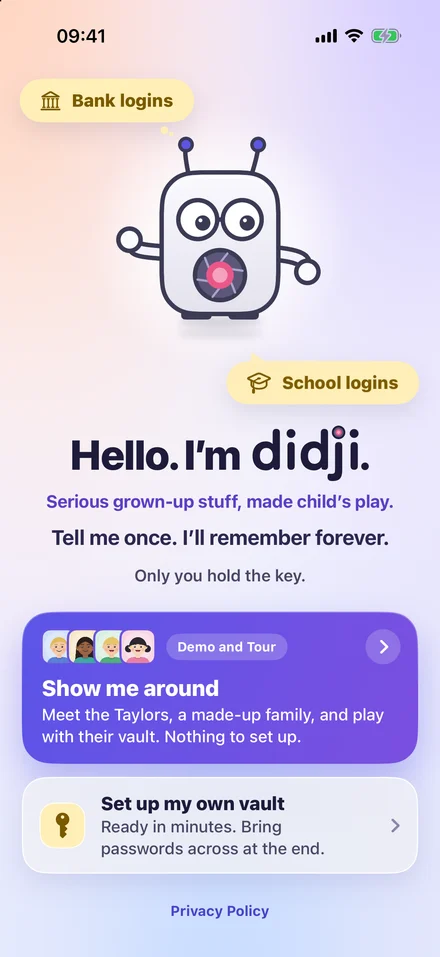
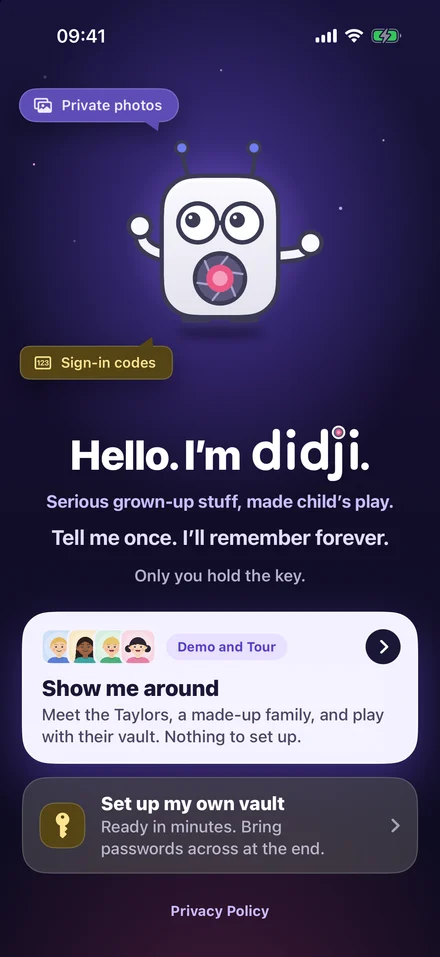
A screenshot of Didji’s first screen: Didji says hello, above the line Serious grown-up stuff, made child’s play, with Show me around, to meet the Taylors, a made-up family, and play with their vault, and Set up my own vaultA screenshot of Didji’s first screen: Didji says hello, above the line Serious grown-up stuff, made child’s play, with Show me around, to meet the Taylors, a made-up family, and play with their vault, and Set up my own vault

Admit one

The Taylors’ house

  • Free. Opened from Didji’s first screen
  • Uses none of your 30 days. The trial starts only when you choose
  • Nothing you do there is kept. Press, tap and type all you like
  1. Then 30 days free with your own things, every feature
  2. Then pay once, at your local price on the App Store, and it’s yours. No subscription needed