Help
So that my family can find things


A page for whoever may one day need to open Didji for you. Not a cheerful thought, I know, but a kind one.
In Didji: Settings, then Devices & data, then Recovery kit & vault key
If something happened to you, your family might need what's in your vault: the bank accounts, the policies, the will. The recovery kit can print a second page for them, explaining what Didji is and the ways in, in plain words.
- On the home screen, tap the gear , then scroll to Devices & data and tap Recovery kit & vault key.
- Tap View recovery kit, and confirm it's you with Face ID.
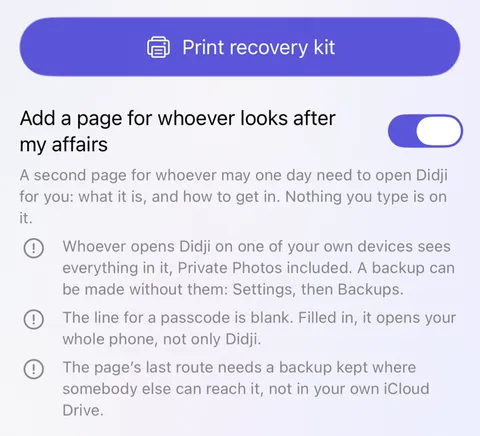
- Below Print recovery kit, turn on Add a page for whoever looks after my affairs.
- Three short notes appear beneath. Read them; each says something the page can't do for you.
- Tap Print recovery kit. Keep both pages together, somewhere your family would think to look.
Good to know
- The page has blank lines to fill in with a pen. Nothing you type in Didji is printed on it.
- Whoever opens Didji on one of your devices sees everything, Private Photos included. Back up without Private Photos, in Backups, leaves them out; see Backing up your vault.
- Erasing your devices, or closing your Apple Account, removes that way in. The page says so.
See also
Still stuck?
Write to us at hello@didji.app, and tell us which device you’re using if you can.
Never send a password or your recovery code to anybody, us included. What we can’t do for you.