

Help
I've already paid
In Didji: Settings, the card at the top
Didji is bought by your Apple Account, so every device signed in to it has Didji, and so does your Family Sharing group. Usually Didji knows by itself, a moment after it opens.
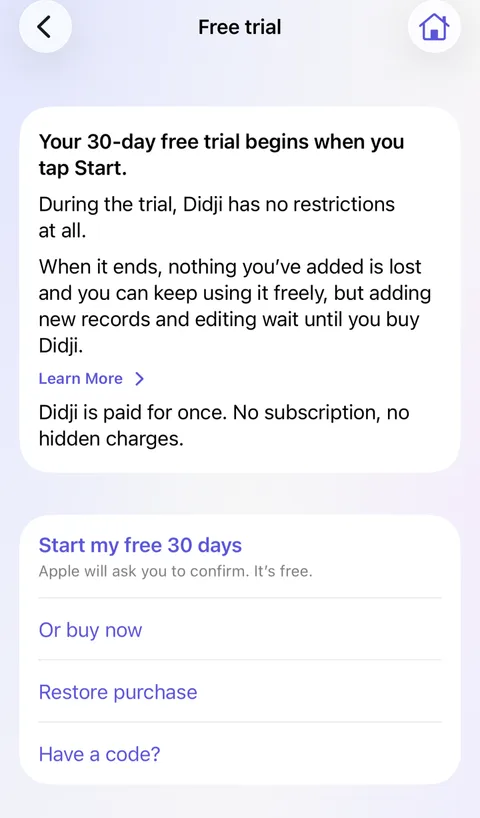
- If the card at the top of Settings is still there, tap its link (Buy Didji, or the free trial before it has started).
- Tap Restore purchase. The App Store looks for your purchase and Didji opens up right away.
- If it says there is nothing to restore, check that this device is signed in to the same Apple Account you bought Didji with.
Good to know
- Restoring never charges you.
- Setting up on a new device, Didji usually knows already and goes right ahead. If it asks about the free trial instead, tap Already have Didji? Restore purchase.
- Given a code? Tap Have a code?, on the same step or beside Restore purchase on the page the card at the top of Settings opens.
- For Family Sharing, the person who bought Didji needs purchase sharing turned on in their Family Sharing settings.
See also
Still stuck?
Write to us at hello@didji.app, and tell us which device you’re using if you can.
Never send a password or your recovery code to anybody, us included. What we can’t do for you.