Help
Backing up your vault


iCloud keeps your devices in step, but if something goes wrong there, it goes wrong on all of them at once. A backup is a copy only you hold. Let's make one.
In Didji: Settings, then Devices & data, then Backups
A backup is a single file holding your whole vault, still locked, so it's safe to keep almost anywhere: iCloud Drive, a memory stick, your computer. On your own devices it restores into your vault; on any other, it opens with the recovery kit you had when you made it, so keep the two in different places.
- On the home screen, tap the cog at the top left. Settings opens.
- Scroll down to the card titled Devices & data, and tap Backups. The row already tells you when you last made one: "Never", "Today", "12 days ago".
- On the Backups screen, tap Back up now, the big button in the card at the top, under when you last made one. A card shows how far along the file is, and Cancel stops it; Didji then reads the file right through before offering it, so a backup that is offered is one that will restore.
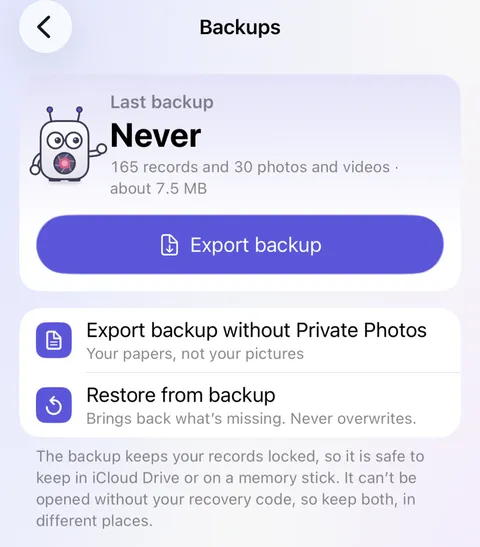
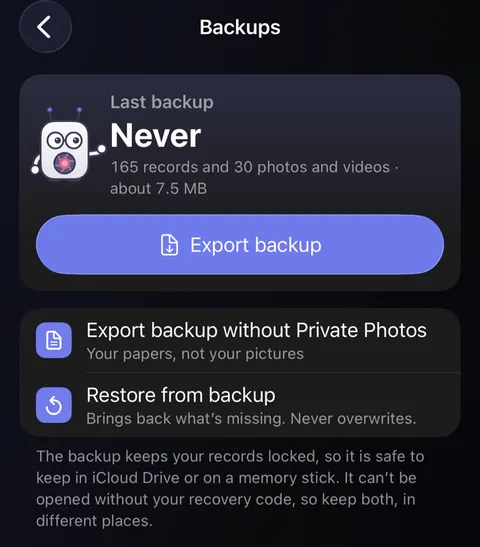
- iOS asks where to keep the file. Choose a place, such as a folder in iCloud Drive or a memory stick, and confirm.
- Back in Didji, Didji reads the saved copy right through, then Backup saved appears beneath with where it went and its size, checked, and the Backups row shows today. A copy that didn't finish says so instead, and isn't counted.
Good to know
- The file is named with the date, like Didji-2026-10-05.didjibackup.
- If you keep Private Photos, a line appears under the card: Back up without Private Photos, for a copy with your papers and not your pictures. It isn't counted as a backup of the whole vault.
- If you haven't made a backup for three months, Didji puts a card on the home screen to mention it.
- Bringing a backup back in is Restore from backup, the last line in the white card; see Restoring from a backup.
See also
Still stuck?
Write to us at hello@didji.app, and tell us which device you’re using if you can.
Never send a password or your recovery code to anybody, us included. What we can’t do for you.