Help
People & Places


Everyone and everything you look after, each with a page of their own. I like to know who's who.
In Didji: The home screen: the People & Places card
Most paperwork belongs to someone: a passport to a person, vaccinations to a dog, an MOT to a car, a boiler service to a house. People & Places gathers each of them with everything that's theirs, so you can see at a glance what Mum has, or what's due for the car.
- On the home screen, tap the People & Places card, beside Private Photos.
- At the top is you, once your own record is marked This is me. Under your name is who you're sharing with, and one line: the next thing due, or, in amber, what's due soon and whose it is. A change you're in the middle of has a line too.
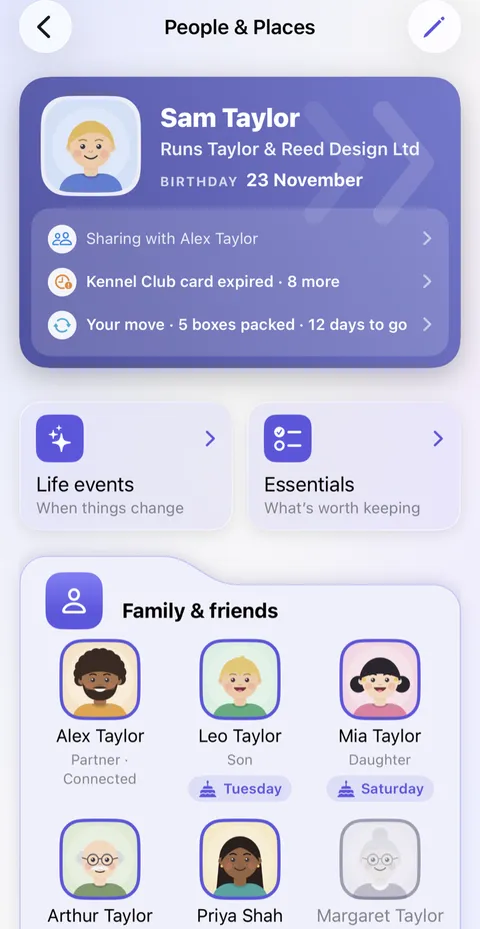
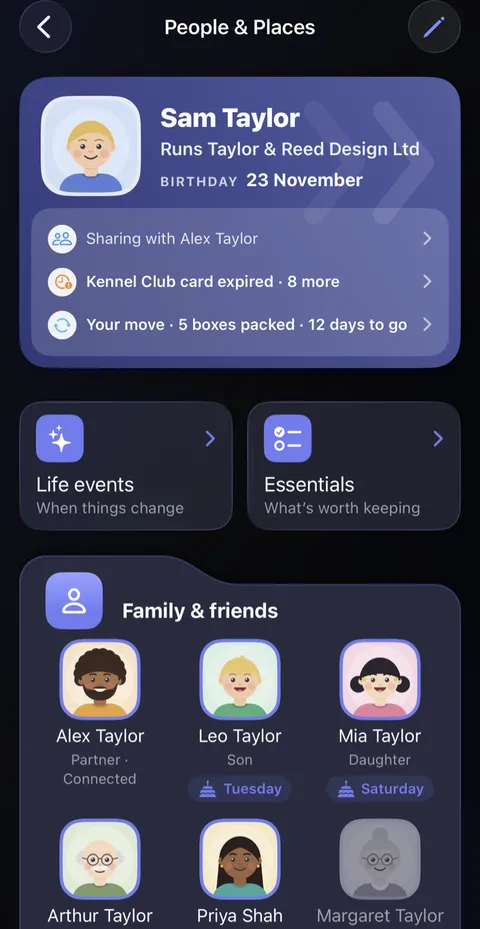
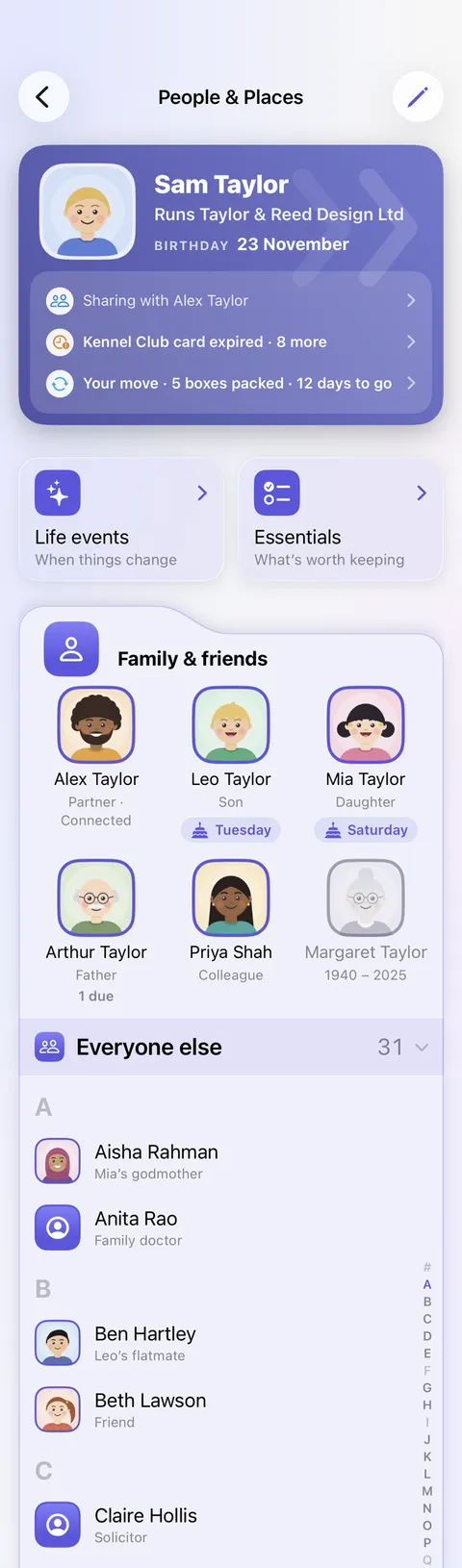
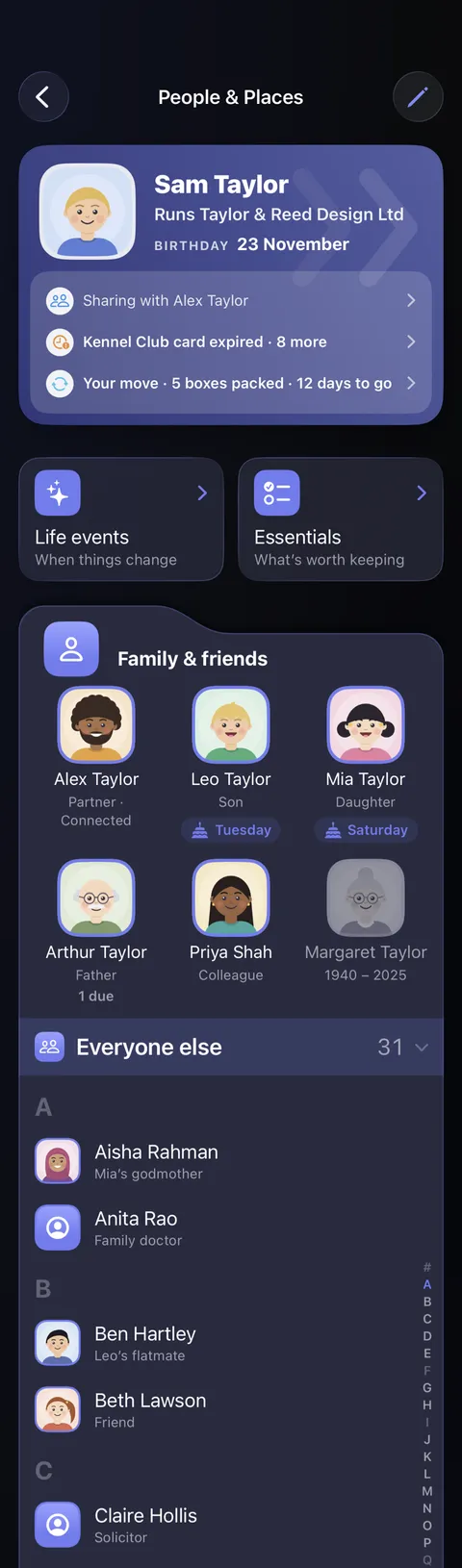
- Below are Life events and Essentials, then a card for each kind: Family & friends, Pets, Places, Vehicles, Key organisations and Things. Tap a face to open their page. Small faces under a place show who lives there.
- Someone who isn't family or close, such as the plumber, can go in Everyone else, a list folded at the foot of Family & friends, and an organisation in Occasional at the foot of Key organisations. Tap the row to open it.
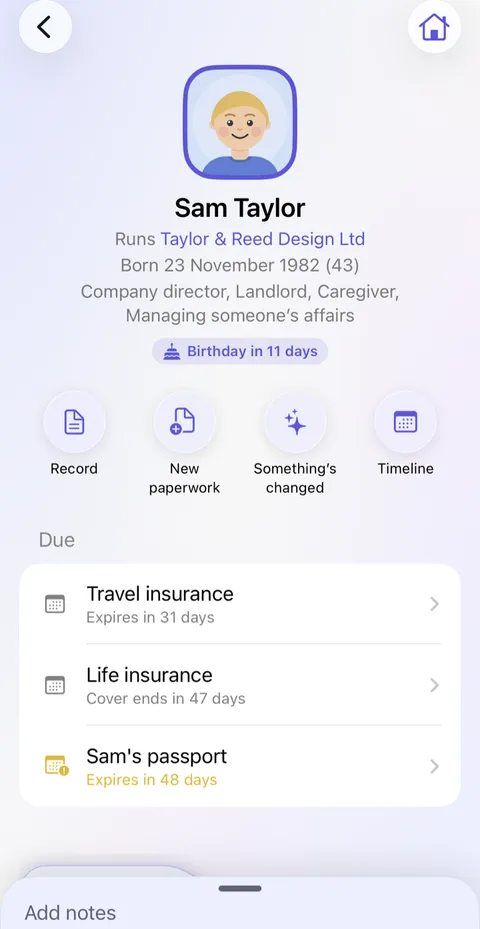
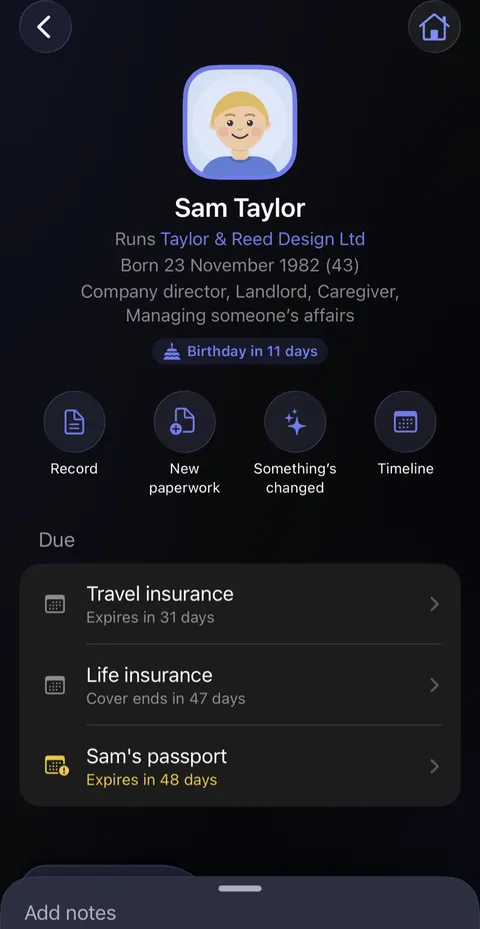
- A page gathers what belongs to them: what's Due, their things grouped by category, their medication, and suggestions under Add for. A row of round buttons sits under their name: Record, New paperwork, Something's changed and Timeline, and Share for someone you could share with. If their record holds a phone number or an email address, Call, Message and Email sit just above.
At the vet’s
A short cartoon film at the vet’s reception. The vet asks Sam for Biscuit’s microchip number, and Sam remembers it is on a form somewhere at home. She opens Didji on her phone: Biscuit’s own page, with his microchip number and his records. The vet types it in, and hearts float over Biscuit. The film ends on Didji’s icon and name.
What’s said
- The vet needs a number.
- It’s on a form at home. Somewhere.
- Biscuit has his own page.
- Didji keeps your family’s paperwork, not just yours.
Good to know
- A page reads from their record, which holds their details, and changes nothing on its own. To change their details, tap Record.
- A person's record can say their Situation, such as Apprentice or trainee, Seeking work, Looking after home or family or Managing someone’s affairs, as many as apply. It shows on their page, and Essentials suggests the paperwork that goes with it.
- The pencil at the top of People & Places opens Reorder or delete, to change the order of the sections and of everyone in them, or remove someone. Removing someone never deletes their records.
- Someone who has died, or a car you've sold, can be marked as such from Something’s changed on their page, and is shown faded.
- Where someone is shown is yours to choose, under Shown in when you edit their record, or by touching and holding their face in People & Places, and to change at any time. Moving them back to Family & friends puts them where they were. Someone in Everyone else is still offered under Belongs to, found by search and in life events, after the family. In Everyone else, the line under a name is their relationship to you or, with none, the Occupation on their record.
See also
Still stuck?
Write to us at hello@didji.app, and tell us which device you’re using if you can.
Never send a password or your recovery code to anybody, us included. What we can’t do for you.